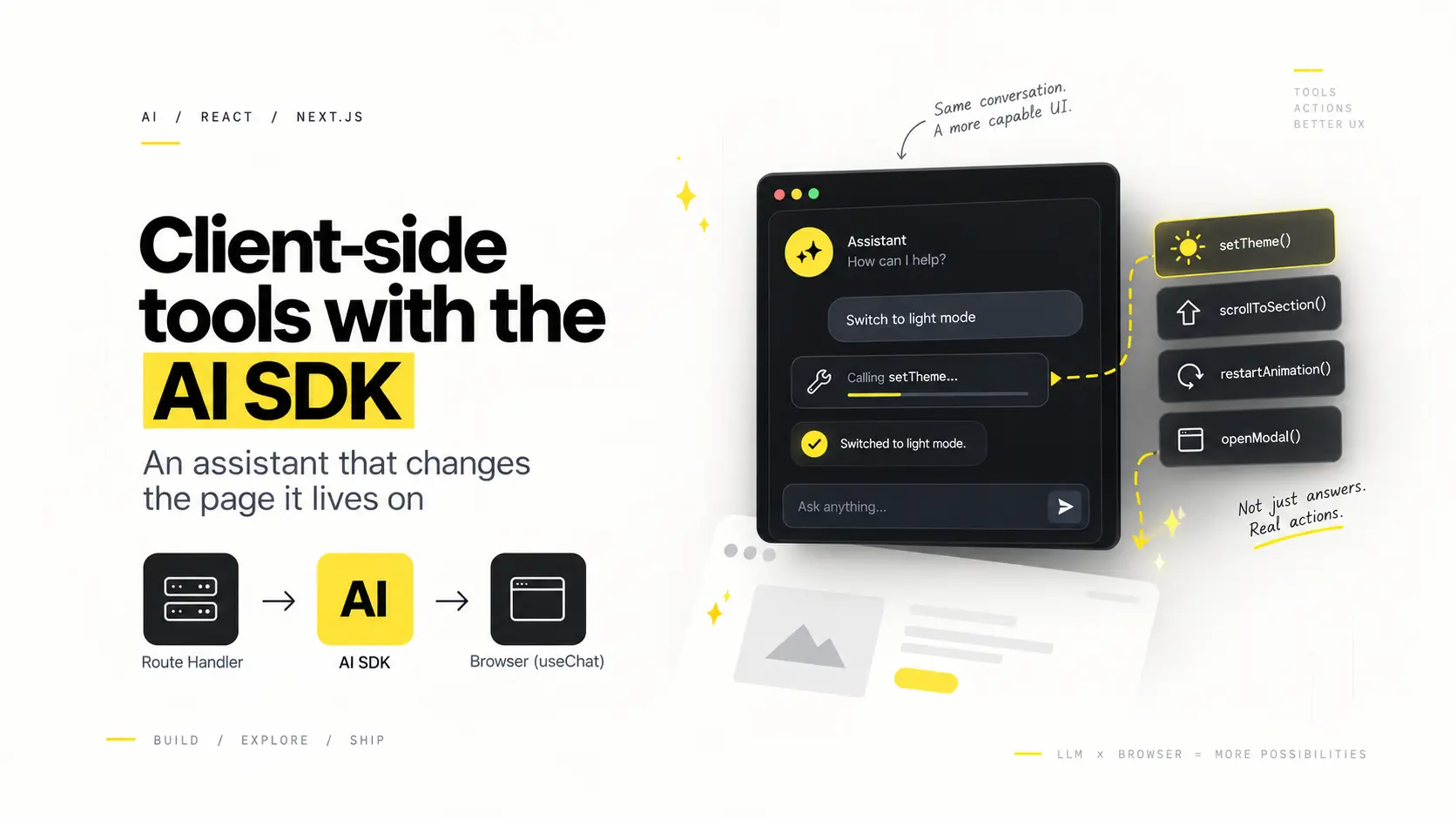
Leave the execute function off a tool definition and the AI SDK stops trying to run it on the server. It streams the call to the browser instead, where your React code handles it and sends a result back. That one omission is the difference between an assistant that tells you something and one that does something to the page you are looking at.
The assistant on this site uses both kinds. Ask it what I have built and it renders real project cards. Ask it to switch to light mode and the site goes light while it is still typing. Same mechanism underneath, one field apart.
This is the AI SDK 7 API (ai@7, @ai-sdk/react@4). The names changed a fair bit from v4, so if you are following an older post, most of the confusion is probably that.
Two kinds of tool
It helps to separate them by what they are for before looking at any code.
Answer tools fetch or shape data. They run on the server, return plain JSON, and the UI renders it. The model never writes the project card — it decides a card is the right answer and the data is already typed.
Page tools perform an effect in the browser. There is nothing to fetch. setTheme has to run where document exists; no amount of server work can change what is on screen.
The split falls out naturally: if a tool needs the DOM, a client-side store or anything else that only exists after hydration, it belongs in the browser.
A tool with no execute is a tool for the browser
Here is the shape. Both tools are declared in the same object and passed to streamText together.
import { streamText, tool, isStepCount } from "ai";
import { z } from "zod";

const tools = {
  // Runs on the server. Returns data, nothing else.
  showProjects: tool({
    description: "Show project cards. Use when asked what he has built.",
    inputSchema: z.object({
      names: z.array(z.string()).optional(),
    }),
    execute: async ({ names }) => {
      const picked = names?.length ? filterProjects(names) : projects;
      return picked.map((p) => ({ name: p.name, url: p.url, stack: p.stack }));
    },
  }),

  // No execute. The SDK forwards this one to the browser.
  setTheme: tool({
    description: "Switch the whole site between light and dark.",
    inputSchema: z.object({ theme: z.enum(["light", "dark"]) }),
  }),
};
That is the entire server-side difference. showProjects has an execute, so the SDK calls it and puts the return value in the stream. setTheme does not, so the SDK emits the tool call and waits for somebody else to produce the output.
The route handler itself is ordinary:
export async function POST(req: Request) {
  const { messages } = await req.json();

  const result = streamText({
    model: deepseek("deepseek-flash"),
    system: systemPrompt,
    messages: await convertToModelMessages(messages),
    tools,
    stopWhen: isStepCount(4),
    maxOutputTokens: 400,
  });

  return createUIMessageStreamResponse({
    stream: toUIMessageStream({ stream: result.stream, sendReasoning: false }),
  });
}
Note inputSchema, not parameters — that rename is one of the v7 ones that quietly breaks old examples.
Handling the call in the browser
useChat takes an onToolCall callback. It fires for any tool the server did not execute. You do the work, then report back with addToolOutput.
const { messages, sendMessage, addToolOutput, status } = useChat({
  transport,
  sendAutomaticallyWhen: lastAssistantMessageIsCompleteWithToolCalls,
  onToolCall({ toolCall }) {
    if (toolCall.dynamic) return;

    if (toolCall.toolName === "setTheme") {
      const { theme } = toolCall.input as { theme: "light" | "dark" };
      setTheme(theme);
      addToolOutput({
        tool: "setTheme",
        toolCallId: toolCall.toolCallId,
        output: `Switched to ${theme} mode.`,
      });
    }
  },
});
Two things in there are easy to miss.
if (toolCall.dynamic) return; guards against dynamic tools, which do not carry the narrowed types the static ones do. Without it TypeScript will not let you switch on toolName cleanly.
The output string is not for the user. It goes back to the model as the tool result. Write it as a plain statement of what happened, because the model will read it and write the sentence that follows. "Switched to light mode." produces a much better next line than true.
Closing the loop
A tool call is not the end of a turn. The model asked for something, it got an answer, and now it wants to say something about it. That round trip is what sendAutomaticallyWhen handles:
sendAutomaticallyWhen: lastAssistantMessageIsCompleteWithToolCalls;That helper watches for the state where the assistant's last message contains tool calls and every one of them now has a result. When that becomes true, it submits automatically. Without it the conversation stops dead after the tool runs: the theme changes, and the assistant never finishes its thought.
This is the single most common way a client-side tool setup ends up feeling broken. The effect happens, the UI just hangs.
The other half of that failure is forgetting addToolOutput on some branch. If a tool call never gets a result, the condition never becomes true and the turn never completes. Every path through onToolCall has to report something, including the ones that fail.
Stopping the loop
Once the model can call tools and then keep talking, it can also keep calling tools. stopWhen bounds it:
stopWhen: isStepCount(4);Four steps is enough for a tool call or two and the sentence that follows. It is a budget, not a guess — every step is another request, and an assistant that is free to use is an assistant somebody will try to run up a bill on.
Answering with components instead of prose
The server-side tools are worth a moment too, because the interesting part is not that they return data — it is that the model never formats it.
Each tool returns plain typed JSON. The message renderer looks at the finished tool part and picks a component:
function ToolResult({ part }) {
  if (!part.type.startsWith("tool-")) return null;

  const { state, output } = part;
  if (state !== "output-available") return <Receipt text="Working on it…" />;

  if (part.type === "tool-showProjects") return <ProjectsCard items={output} />;
  if (part.type === "tool-showSkills") return <SkillsCard items={output} />;
  // …
}
So an answer about projects is real project cards, built from the same content and the same design tokens as the rest of the site. The model chose which answer; it did not write the markup. That means it cannot get the styling wrong, cannot invent a project, and cannot produce a broken link — the data it is handed is the data the page already has.
It also keeps the prompt short. "Call showProjects" is a lot fewer tokens than a paragraph of markdown describing three projects, and it renders better.
What this is actually good for
The honest limit: page tools are a small category. Most assistants do not need to recolour anything. But the pattern generalises past novelty — anything that lives only in the client is a candidate. Reading from a store the server cannot see. Opening a modal. Starting a download. Filling a form the user is halfway through. Scrolling to the thing being discussed instead of describing where it is.
The version on this site is deliberately small: switch the theme, recolour the composition in the hero, play the sequence from the start, scroll to a section. Four tools, no execute between them. You can try it from the pill in the corner, or with ⌘K.
What sold me on it was not the effects. It was that the assistant stops being a box bolted onto the page and becomes something that can operate it.